

Archery King





What Is Archery King?
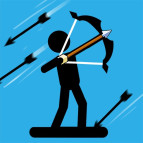
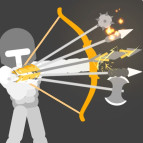
Archery King is a skill-based archery game that challenges players to aim carefully, control their shots, and hit targets with precision. The game focuses on accuracy, timing, and concentration, making every arrow an opportunity to improve your performance. Whether you are a beginner or an experienced player, mastering the bow requires patience and a steady aim.
The main objective is to score as many points as possible by hitting targets in the right places. Players must consider their aim and adjust each shot to improve accuracy. With its simple concept and competitive gameplay, Archery King is a great choice for fans of sports games and precision challenges.
How to Play Archery King
To begin, familiarize yourself with the aiming controls and locate the target. Adjust your aim, line up your shot, and release the arrow when you are ready. The closer your arrow lands to the center of the target, the higher your score is likely to be.
Depending on the version, you may face different targets, challenges, or opponents. Some modes may focus on achieving a high score, while others may require you to outperform another archer.
The key to success is consistency. Instead of rushing every shot, take time to aim accurately and learn how small adjustments affect the arrow's direction.
Main Features of Archery King
Precision-based gameplay: Test your ability to aim at small target areas.
Simple controls: Focus on aiming and shooting without complicated mechanics.
Competitive challenges: Some versions offer opportunities to compete against other players.
Skill development: Improve your accuracy through practice and careful adjustments.
Replay value: Return to the game to beat your previous scores and sharpen your skills.
Archery King Controls
Controls can differ between browser, mobile, and other versions of the game. A common control setup may look like this:
Control | Action |
|---|---|
Mouse movement | Adjust your aim |
Left mouse button | Draw, hold, or release the shot, depending on the version |
Touchscreen | Aim and shoot by tapping, dragging, or holding |
Follow the instructions displayed in your version to learn the exact controls.